
What Is an AI Workspace for Ecommerce Teams?
 Brian @brian
·
·
10 min read
5 views
Brian @brian
·
·
10 min read
5 views
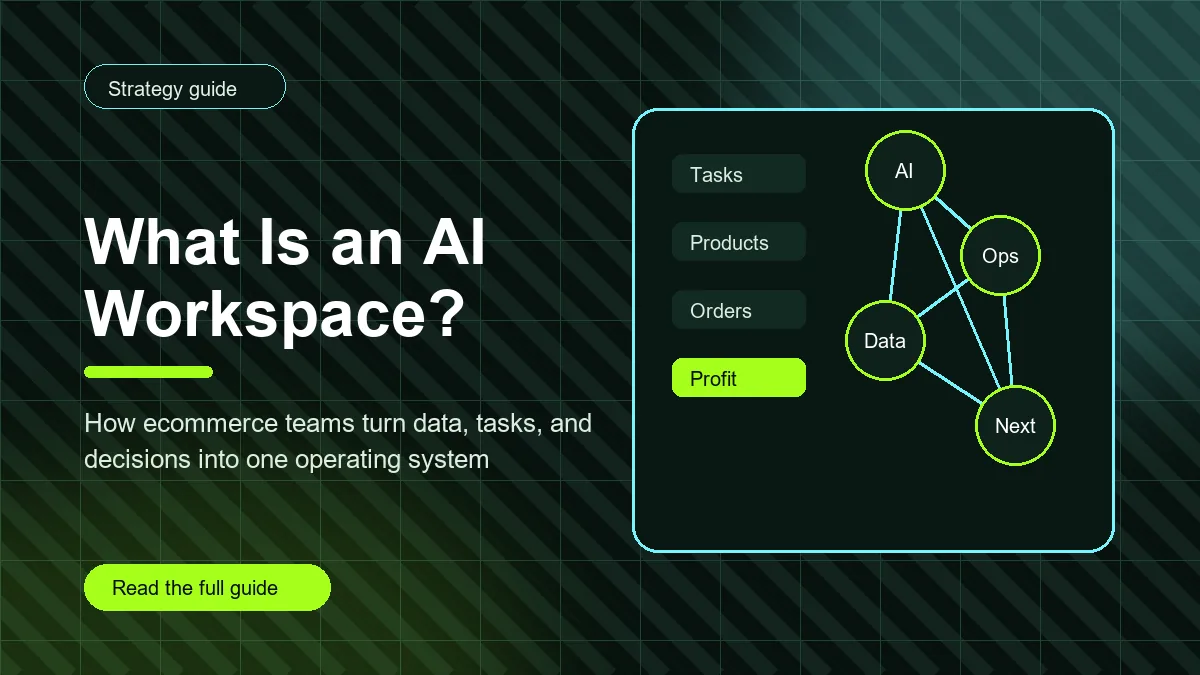
What is an AI workspace? An AI workspace is a shared place where a team can bring data, tasks, documents, operating notes, and AI-assisted decisions together. For ecommerce teams, that means more than asking a chatbot for ideas. It means connecting product work, orders, supplier notes, support issues, store metrics, and profit tracking so the team can understand what is happening and decide what to do next.
The reason this matters is simple: ecommerce work is fragmented. A Shopify store owner might check sales in one tab, ad spend in another, supplier messages in email, product notes in a spreadsheet, support tickets in a help desk, and strategy ideas in a chat tool. AI can help, but only if it has enough context to be useful. An AI workspace gives that context a home.
AI workspace definition
An AI workspace is an operating environment where artificial intelligence supports the work your team already does. It can summarize information, turn messy notes into tasks, draft product copy, compare performance, organize ideas, explain data, and help decide the next step. The important part is that the AI is connected to a workspace, not floating separately from the business.
A regular AI chat session usually starts from a blank prompt. An AI workspace starts from saved context. It knows the project, the store, the task, the product, or the metric you are working on. That context makes the answers more practical because the tool can connect the question to the work around it.
Why ecommerce teams search for AI workspaces
Ecommerce teams search for AI workspaces because they are trying to reduce the number of places where decisions get lost. A store can have good revenue and still feel chaotic if every workflow lives in a different tool. Product research is in one spreadsheet. Supplier updates are in messages. Fulfillment issues are in the admin. Profit notes are in a dashboard. Content ideas are in a chat history nobody revisits.
An AI workspace helps by turning scattered context into a working system. Instead of asking AI a generic question like “what should I do today,” a team can ask about a specific store, product, supplier, order issue, or profit trend. The answer becomes more useful because the system is tied to real business context.
What an AI workspace includes
A useful AI workspace usually includes several layers. The first layer is context: products, customers, orders, suppliers, campaigns, notes, files, and decisions. The second layer is work: tasks, owners, due dates, projects, and status. The third layer is intelligence: summaries, recommendations, drafts, formulas, comparisons, and next actions. The fourth layer is memory: what the team already decided and why.
For ecommerce, those layers should stay close together. If a product has low margin, the workspace should help the team see product cost, shipping cost, ad spend, supplier notes, order issues, and related tasks. If a supplier creates delays, the workspace should connect that note to affected products and customer follow-up work.
How an AI workspace is different from a chatbot
A chatbot is a conversation. An AI workspace is a work system. A chatbot can draft a product description, explain a metric, or brainstorm a campaign. Those are useful tasks, but they often disappear after the chat ends. A workspace keeps the output connected to the business. The description can attach to the product. The metric explanation can become a weekly review note. The campaign idea can become an assigned task.
This distinction matters for ecommerce teams because the work is ongoing. A product launch is not one prompt. It includes supplier checks, pricing, descriptions, images, shipping promises, ad angles, support preparation, profit expectations, and post-launch review. AI is more valuable when it supports the whole chain instead of one isolated answer.
Core ecommerce use cases
Product research
An AI workspace can help compare product ideas, summarize supplier notes, organize pros and cons, and turn research into launch checklists. It should not replace judgment, but it can make research faster and easier to review later.
Product page content
AI can draft product descriptions, FAQs, email copy, ad angles, and meta descriptions. In a workspace, those drafts can stay connected to the product, audience, and pricing assumptions instead of becoming loose text in a chat thread.
Operations and task management
Ecommerce teams often need to turn a metric into an action. If profit drops, someone should review product cost, ad spend, shipping cost, discounts, and refunds. An AI workspace can help translate those signals into specific tasks with owners.
Profit tracking
AI is most useful when it can explain the numbers behind decisions. If your team is still getting clear on net profit, use the Shopify profit tracker workflow as a deeper next step. An AI workspace should support that kind of profit review, not hide it behind vague recommendations.
What data should connect to an ecommerce AI workspace?
Start with the data that changes decisions. Revenue matters, but revenue alone is not enough. Connect products, product costs, selling prices, shipping costs, refunds, discounts, ad spend, suppliers, open tasks, and customer issues. If a data point does not help you decide, it can wait.
For Shopify and dropshipping teams, order and product context are especially important. A product can generate sales while quietly creating support tickets or shipping delays. A workspace should help the team see both the sales result and the operational cost. This is why a dedicated Shopify sales tracker checklist pairs well with an AI workspace conversation.
How AI workspaces help multi-store teams
Multi-store teams have a harder version of the same problem. One store may need supplier cleanup. Another may need pricing review. A third may be ready for a campaign test. If all stores share the same notes and dashboard without structure, the team loses clarity. If every store has a separate system, the owner loses the portfolio view.
An AI workspace can separate store-level context while still giving the team one place to review priorities. It can summarize which store needs attention, which product is creating risk, and which task should be handled first. For a fuller operating model, connect this article with the multi-store Shopify operations workflow.
What makes an AI workspace useful instead of noisy?
The best AI workspace is not the one with the most prompts. It is the one that reduces decision friction. It should help the team answer: What changed? Why does it matter? Who owns the next step? What context do they need? What should we review later?
Noisy workspaces create more dashboards, more summaries, and more half-finished ideas. Useful workspaces create fewer open loops. They make the next step clearer. They help the owner trust that important signals are not buried in a chat, spreadsheet, or private note.
How to build an AI workspace for ecommerce in 30 days
During week one, choose the core objects your workspace needs: stores, products, suppliers, orders, campaigns, tasks, and profit notes. Do not try to connect everything. Start with the areas that create the most confusion.
During week two, create repeatable templates. Build a product launch checklist, supplier review checklist, weekly profit review, refund review, and campaign review. AI becomes more useful when it operates inside a repeatable process.
During week three, add decision memory. When the team pauses a product, changes a price, replaces a supplier, or updates an offer, write down why. AI can summarize decisions later only if the decisions are captured somewhere.
During week four, review the workspace. Remove anything that does not help the team act. Add links to the guides and workflows people need most. A good internal linking structure should work like a map: each article or workspace note points to the next helpful resource with clear anchor text.
Internal links and AI workspace content
The Semrush-style approach to internal linking is especially useful here: use descriptive, contextual links that help readers continue the workflow. Do not add random links just to increase count. Link from this explainer to tactical guides, and link from tactical guides back to broader operating-system pages when it helps the reader understand the bigger picture.
For example, this article links to sales tracking when discussing store metrics, profit tracking when discussing real net profit, and multi-store operations when discussing portfolio complexity. That structure helps readers and search engines understand the topic cluster without forcing awkward anchors.
Common mistakes when adding AI to ecommerce operations
The first mistake is treating AI like a shortcut around clean data. If product costs are wrong, supplier notes are missing, and order statuses are not updated, AI will not fix the operating system. It may summarize the mess faster, but the business will still make decisions from weak inputs. Start with the fields that matter most: cost, price, shipping, ad spend, refunds, task owner, and current product status.
The second mistake is letting AI generate ideas without assigning owners. A campaign plan, product test, or pricing suggestion is only useful if someone is responsible for the next step. Every useful AI output should become one of four things: a saved note, a task, a draft, or a decision. If it becomes none of those, it is probably just noise.
The third mistake is using generic prompts for specific business problems. Ecommerce teams get better results when prompts include the product, store, audience, constraint, metric, and desired decision. Instead of asking for marketing ideas, ask for three campaign angles for a product with a specific margin target and shipping promise. Instead of asking what went wrong, ask what changed in revenue, refunds, margin, and fulfillment since last week.
Example AI workspace workflow
Imagine a Shopify store has rising revenue but falling profit. In a scattered workflow, the owner checks Shopify, then an ad dashboard, then a supplier spreadsheet, then a chat tool, and finally writes a vague note to review costs later. In an AI workspace, the owner can start from the profit signal. The workspace can pull together the top products, recent ad spend, refund notes, supplier cost changes, and open tasks.
The AI does not need to make the final decision. It can summarize the likely causes and suggest the review path: check product cost changes, inspect discount usage, compare ad spend to contribution margin, and review refunds by product. The owner can then assign specific tasks: update cost for Product A, pause Product B's ad set, review Supplier C's shipping price, and add a follow-up note for Friday.
This is where the workspace becomes more valuable than a standalone chat. The explanation, tasks, and decision history stay connected. Next week, the team can see what changed, what was assigned, and whether the fix worked.
How to measure whether an AI workspace is working
Measure the workspace by operational outcomes, not by how often the team uses AI. Are decisions faster? Are fewer tasks forgotten? Are product launches more consistent? Are supplier problems easier to trace? Are profit reviews clearer? Are team members asking better questions because the right context is easier to find?
A practical monthly review can include five checks: number of open overdue tasks, number of product decisions with saved reasons, number of supplier issues linked to affected products, number of profit reviews completed, and number of AI drafts that became published or assigned work. These metrics are simple, but they show whether the workspace is improving the way the team operates.
Who should own the workspace?
One person should own the structure, even if the whole team uses it. This owner keeps templates clean, removes duplicate notes, updates internal links, and makes sure important decisions are saved. In a small store, that person may be the founder. In a larger ecommerce team, it may be an operations lead, project manager, or growth manager.
Ownership matters because AI workspaces can drift. Without maintenance, the tool fills with old drafts, abandoned ideas, and unclear tasks. With ownership, it becomes a reliable place to understand the business. The goal is not to make the workspace perfect. The goal is to make it trustworthy enough that the team uses it when decisions matter.
Where Nugglets fits
Nugglets is built around the idea that ecommerce operators need one cleaner operating layer. Products, suppliers, orders, tasks, profit signals, and business notes should not feel like separate islands. The more connected those pieces are, the easier it becomes to make decisions.
If you want to see the Nugglets angle more directly, read how Nugglets helps you run your Shopify store from one dashboard. That article fits naturally beside this AI workspace guide because both topics are about turning scattered ecommerce work into one operating rhythm.
AI workspace checklist
- Connect the context that affects decisions: stores, products, suppliers, orders, tasks, and profit.
- Use AI to support workflows, not replace business judgment.
- Turn AI outputs into saved tasks, notes, drafts, or decisions.
- Keep store-level and product-level context separate enough to understand.
- Build templates for repeated ecommerce work.
- Use contextual internal links so readers can move from strategy to execution.
- Review the workspace monthly and remove noise.
An AI workspace is not magic. It is a better container for work. When ecommerce teams use it well, AI stops being a separate chat box and becomes part of the operating system that helps the business decide, assign, and improve.
Run your whole store from one dashboard
Track orders, suppliers, inventory and real profit with Nugglets.
See NuggletsKeep reading
Shopify Admin Outage or Login Down? What Store Owners Should Do


Comments 0