
How to Manage Multiple Shopify Stores From One Dashboard
 Brian @brian
·
·
10 min read
13 views
Brian @brian
·
·
10 min read
13 views
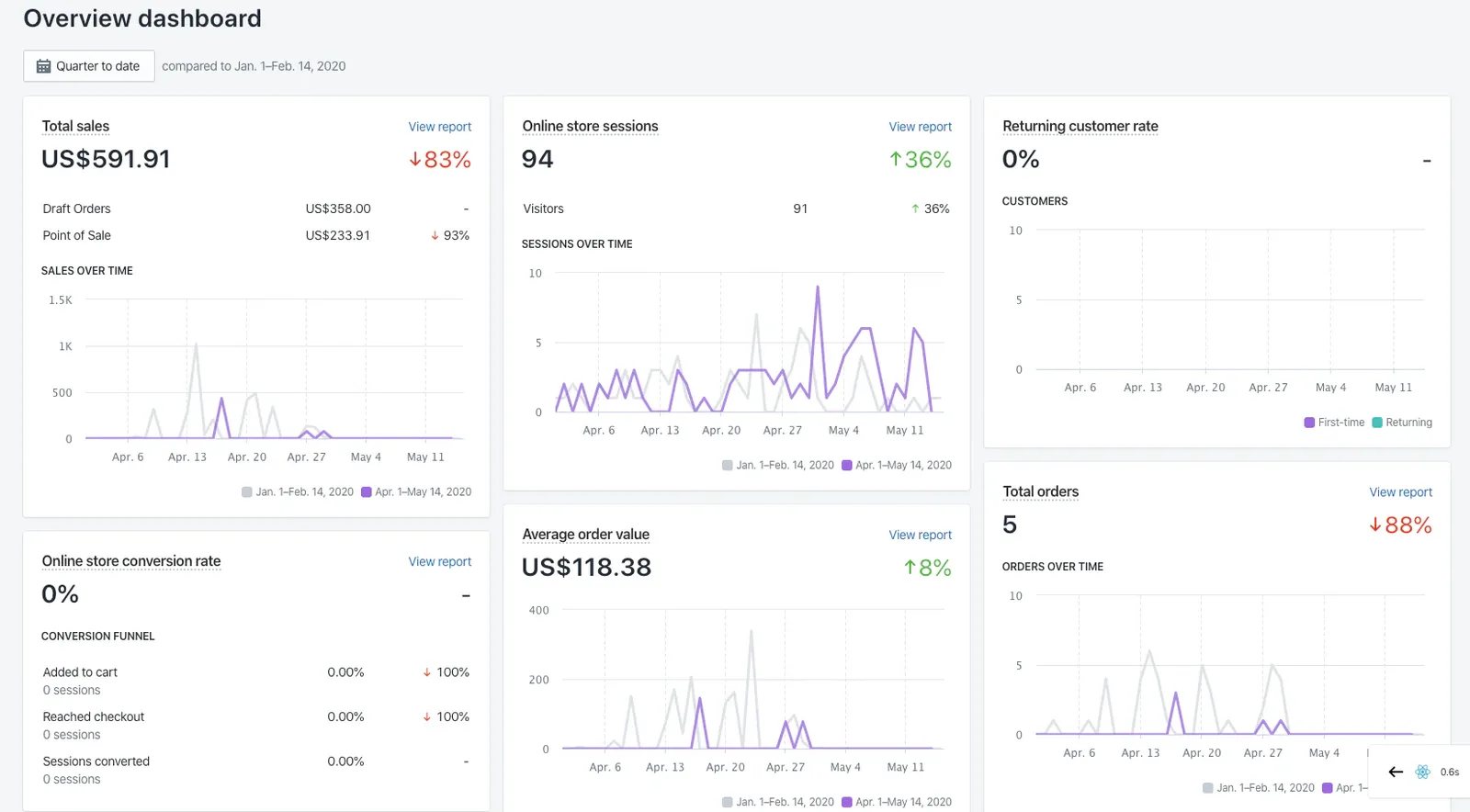
Managing multiple Shopify stores can unlock growth, but it can also create a business that feels harder to control every month.
One store may serve a different country. Another may target a separate product niche. A third may exist to test new dropshipping products before they reach the main brand. This strategy can be smart, but every new storefront adds more sales data, orders, suppliers, refunds, fees, and customer conversations to manage.
The problem is rarely the number of stores itself. The problem is operating them as isolated businesses.
A better approach is to create one connected operating system around your stores. That means a shared reporting rhythm, a clear multi-store dashboard, consistent product and supplier processes, and visibility into true profit rather than revenue alone.
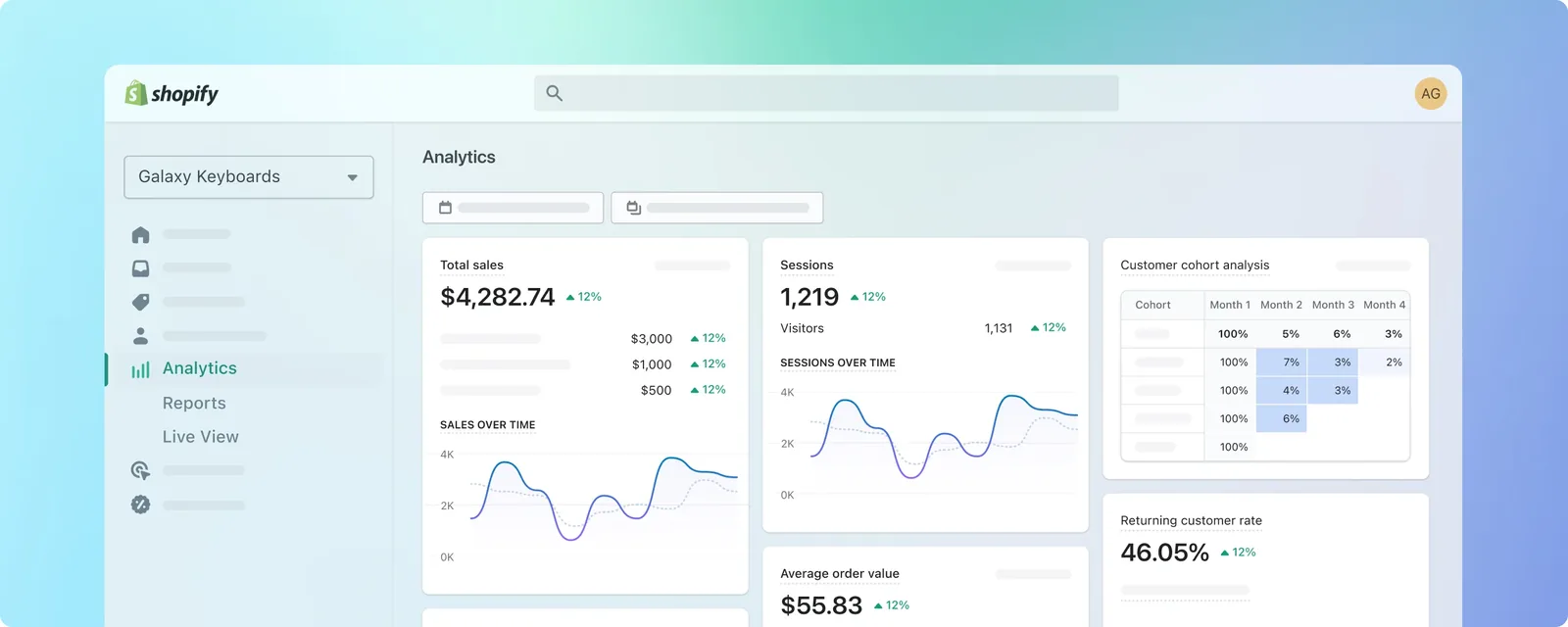
Section visual: Shopify Analytics dashboard showing sales, customer, and performance reporting.
1. Treat Your Stores as One Ecommerce Portfolio
Each Shopify store may have its own branding, customer base, pricing, products, and marketing strategy. However, at an ownership level, they should be viewed as one ecommerce portfolio.
That distinction changes the questions you ask.
Instead of asking, “How did Store A do today?” ask:
-
Which store generated the most profit today?
-
Which store has the highest refund risk?
-
Which products are performing across more than one brand?
-
Which supplier is affecting multiple stores?
-
Where should the next advertising dollar go?
This creates a much more strategic approach to managing multiple Shopify stores. You stop reacting store by store and start allocating attention, inventory, team time, and ad spend based on the overall health of the business.
Shopify supports store switching for users associated with multiple stores, while organizations can help centralize management for qualifying multi-store setups. (Shopify Help Center)
2. Build a Multi-Store Dashboard Around Decisions
A multi-store dashboard should not be a wall of vanity metrics. Its purpose is to help you make better decisions faster.
Revenue is useful, but it does not show whether a store is actually succeeding. A high-revenue store with expensive customer acquisition, poor margins, costly shipping, and frequent refunds may be less valuable than a smaller store with consistent profit.
Your dashboard should therefore show the business in two layers.
The first layer is the portfolio overview. This shows combined sales, total orders, net profit, advertising spend, refunds, and fulfillment status across every Shopify store.
The second layer is the store-level breakdown. This reveals which individual store, channel, product, or supplier is driving the numbers.
A practical Shopify dashboard should include:
-
Gross and net sales
-
Orders and average order value
-
Cost of goods sold
-
Advertising spend
-
Shipping and fulfillment costs
-
Payment processing fees
-
Refunds and chargebacks
-
Net profit and profit margin
-
Top products by profit
-
Unfulfilled orders
-
Supplier and inventory alerts
Shopify’s Analytics dashboard can display sales, sessions, and fulfillment metrics, and dashboard cards can be added, rearranged, resized, and organized into sections. (Shopify Help Center)
Section visual: Official Shopify overview dashboard with sales, sessions, and average order value cards.
3. Make Profit the Main Metric
One of the most common mistakes when managing multiple Shopify stores is comparing revenue without comparing profitability.
A store with $50,000 in sales may look like the leader of the portfolio. But after supplier costs, ad spend, shipping expenses, refunds, transaction fees, and software subscriptions, it may produce less profit than a $20,000 store.
That is why a Shopify profit tracker matters.
Every store should have a consistent profit formula:
Net Profit = Net Sales - COGS - Ad Spend - Shipping Costs - Transaction Fees - Refunds - Operating Costs
When that formula is applied across every store, you can compare performance fairly. You can identify stores that are growing profitably, stores that need pricing adjustments, and products that look popular but create weak margins.
For dropshipping businesses, this level of detail is especially important. Supplier prices can change quickly, shipping costs can vary by destination, and refunds can remove most of the margin from an otherwise successful product.
Shopify’s profit reports depend on accurate cost-per-item data for products and variants, which is a useful foundation for margin analysis. (Shopify Help Center)
A strong ecommerce profit tracker should also account for costs that Shopify does not automatically connect to every order, such as advertising spend, supplier invoices, currency conversion costs, apps, and outsourced support.
4. Standardize Product, SKU, and Supplier Data
Multiple stores become difficult to manage when each team member uses a different naming system.
One store might call a product “Portable Blender.” Another might call it “USB Smoothie Maker.” A supplier may list the same item under a factory code. Without a standard naming and SKU system, reporting becomes inconsistent and supplier management becomes slower.
Create a simple internal product structure:
-
Give every product a master internal SKU.
-
Connect each storefront product title to that master SKU.
-
Record the current supplier, supplier cost, shipping estimate, and fulfillment method.
-
Track the product’s margin by store.
-
Keep a record of replacement suppliers where possible.
This process helps you spot opportunities that are otherwise easy to miss. A product may perform well in one store but be underpriced in another. A supplier may provide better shipping times for one region. A product with strong revenue may have low profit because supplier costs increased.
Shopify reports can be filtered using product vendor information, helping merchants review product and vendor-level performance. (Shopify Help Center)
Section visual: Shopify’s order, inventory, and fulfillment management interface.
5. Create One Order Management Workflow
When you have several Shopify stores, order fulfillment can become the biggest operational bottleneck.
A customer does not care which internal store received the order. They care whether the order arrives quickly, whether tracking works, and whether support responds when something goes wrong.
That means your Shopify order management dashboard should make it easy to see:
-
New orders across all stores
-
Unfulfilled orders
-
Orders delayed by suppliers
-
Orders at risk of cancellation
-
Refund requests
-
High-value orders requiring review
-
Products with repeated delivery complaints
The operational goal is simple: no order should fall through the cracks because it belongs to a less frequently checked store.
Create shared fulfillment rules across the portfolio. For example, define when an order should be escalated, when customers should receive a delay update, how quickly a supplier must provide tracking, and when a refund should be approved.
Shopify positions its operational tools around centralized order management, inventory, fulfillment, shipping, returns, and refunds.
6. Use Store-Level Permissions, Not Shared Logins
As your ecommerce operation grows, giving everyone full access to every store becomes risky.
A customer service assistant does not need permission to change payment settings. A marketing contractor may need product and analytics access but should not be able to issue refunds. A supplier coordinator might need order visibility without access to customer financial information.
Shopify roles and permissions let merchants limit access to specific areas of the admin, including orders, analytics, products, marketing, and settings. (Shopify Help Center)
Set up a basic access framework:
-
Owners and senior operators receive full visibility.
-
Store managers receive access to assigned stores.
-
Customer support receives order and customer permissions.
-
Marketing teams receive campaign and analytics permissions.
-
Finance teams receive reporting permissions.
-
Contractors receive limited, time-bound access.
This keeps operations cleaner and helps prevent accidental changes across your store portfolio.
For Shopify organizations, permissions can also support access to aggregate analytics and multi-store reporting, depending on the role assigned. (Shopify Help Center)
Section visual: Shopify Plus organization settings for centralized store management and staff permissions.
7. Compare Stores by More Than Sales
When managing multiple Shopify stores, not every store should be judged by the same single metric.
A testing store may be designed to identify winning products. A premium brand may have lower order volume but stronger margins. An international store may have higher shipping costs but access to a growing market.
Use a scorecard that evaluates each store across several areas:
Profitability
Does the store produce real profit after every major cost?
Growth
Are sales, conversion rate, and repeat purchases improving?
Operational health
Are fulfillment times, refund rates, and support volume under control?
Product performance
Which products create the most profit, not just the most revenue?
Supplier reliability
Are supplier prices, stock, quality, and delivery promises stable?
Marketing efficiency
Is ad spend producing profitable customers?
This is where a multi store dashboard becomes much more useful than reviewing separate Shopify admin tabs. It lets you compare brands on the same operating metrics, even when their business models are different.
Shopify organizations can support reports that combine multiple stores, filter by store, and use “Store” as a reporting dimension. (Shopify Help Center)
8. Add Competitor and Product Research to the Routine
Internal performance tells you what happened. Competitor tracking helps explain why it happened.
A drop in conversion rate may come from a pricing issue, a competitor bundle, a better delivery promise, or a product becoming saturated. A sudden increase in returns might reflect a quality issue that competitors have already solved with clearer product information.
A weekly Shopify competitor tracker process can include:
-
Monitoring price changes
-
Reviewing product bundles
-
Checking shipping offers
-
Recording seasonal promotions
-
Tracking new product launches
-
Reviewing creative angles in ads
-
Comparing product reviews and complaints
This does not mean copying competitors. It means understanding how the market is changing before your sales data alone makes the change obvious.
For dropshipping brands, competitor monitoring should also connect to product research. The best products are not simply trending products. They are products with enough demand, realistic ad potential, reliable supplier options, and margins that survive refunds and shipping costs.
9. Run the Business on a Reporting Rhythm
A dashboard only creates value when people use it consistently.
The easiest way to prevent multi-store chaos is to establish a daily, weekly, and monthly review process.
Daily Review
Check combined sales, orders, ad spend, profit, unfulfilled orders, refund alerts, and stock or supplier issues.
The question is: “What needs attention right now?”
Weekly Review
Compare each Shopify store by profit, conversion rate, refund rate, average order value, ad efficiency, product performance, and supplier reliability.
The question is: “What is improving, and what is creating risk?”
Monthly Review
Review the portfolio’s total profit, store contribution, recurring costs, customer acquisition efficiency, supplier relationships, and opportunities for expansion.
The question is: “What should we scale, fix, pause, or retire?”
This routine prevents owners from spending all day inside dashboards. Instead, it creates short, repeatable decision points that keep every store aligned with the larger business.
How Nugglets Fits Into a Multi-Store Workflow
Nugglets can be positioned as the visibility layer between scattered Shopify store data and smarter ecommerce decisions.
For merchants managing multiple Shopify stores, the strongest value proposition is not simply seeing more data. It is seeing the right data together:
-
Sales across stores
-
Real profit after costs
-
Order and fulfillment activity
-
Store-by-store performance
-
Supplier and product insights
-
Competitor changes
-
Clear priorities for the day
A multi-store business does not need more tabs, more exports, or more spreadsheets. It needs a connected Shopify dashboard that makes profit, performance, and operational risk easy to understand.
Final Takeaway
Managing multiple Shopify stores successfully comes down to creating consistency behind the scenes.
Keep your brands separate where needed. But centralize the information that drives better decisions: profit, sales, orders, suppliers, products, refunds, ad spend, and competitor activity.
The goal is not to operate every store identically. The goal is to give every store the same level of visibility and control.
With the right multi store dashboard and reporting routine, multiple Shopify stores can become a growth advantage instead of an operational burden.
Related multi-store operating guides
- Managing multiple Shopify stores - use the complete multi-store guide as the hub
- Managing multiple Shopify stores without losing profit - protect margin as store count grows
- Ecommerce business dashboard - see how the multi-store view fits into a full operating dashboard
- Shopify profit tracker - track true profit by store
- Shopify revenue vs profit - avoid comparing stores on sales alone
Run your whole store from one dashboard
Track orders, suppliers, inventory and real profit with Nugglets.
See NuggletsKeep reading
How to Start Dropshipping on Amazon 2026

How to Calculate Your Break-Even ROAS for Shopify


Comments 0