
Ecommerce Business Dashboard: Track Profit, Orders, and Growth
 Brian @brian
·
·
11 min read
3 views
Brian @brian
·
·
11 min read
3 views
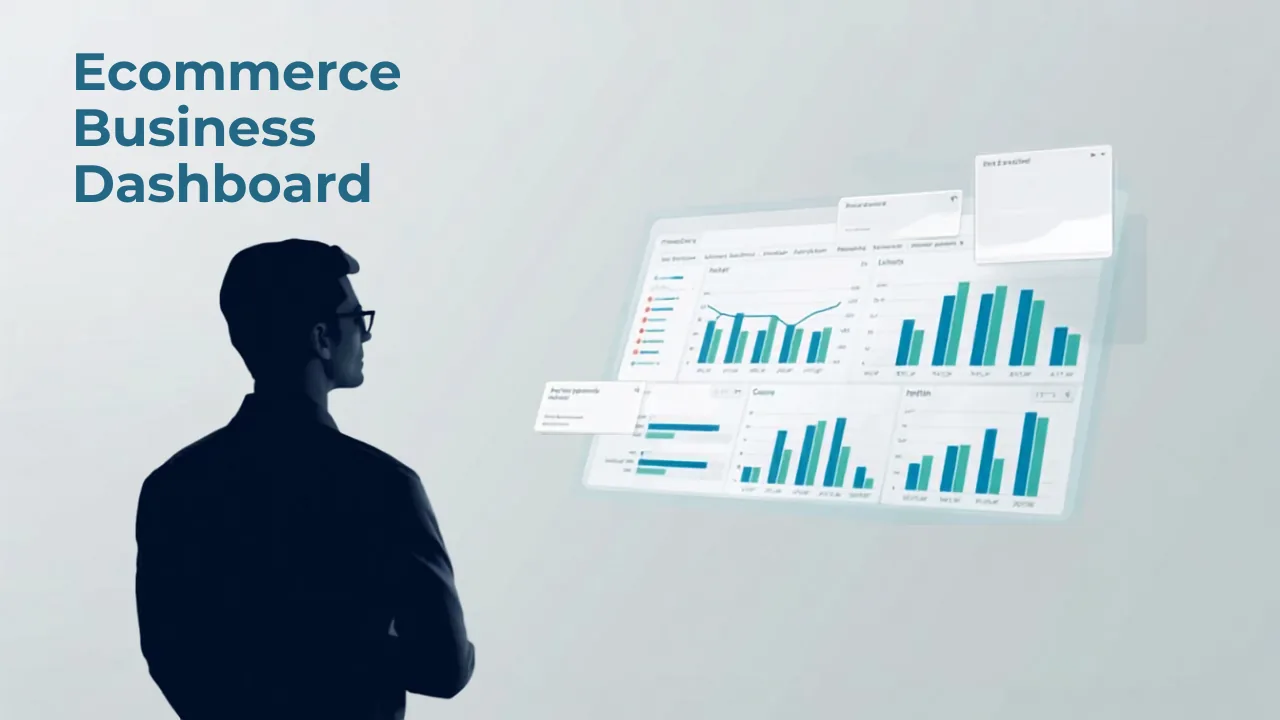
Quick answer: an ecommerce business dashboard should show the numbers and tasks that help a store owner run the business every day: sales, orders, profit, inventory, supplier status, product opportunities, customer health, marketing performance, and next actions. The point is not to make a prettier chart. The point is to make better decisions faster.
An ecommerce business can look simple from the outside. A customer visits a website, places an order, and receives a product. Behind the scenes, the owner is balancing supplier costs, ad spend, refunds, app fees, stock levels, customer questions, product testing, and cash flow. When that information lives in separate tabs, it becomes hard to know what is actually happening.
This guide explains how to think about an ecommerce business dashboard in 2026. It is written for Shopify, dropshipping, and ecommerce operators who want one calmer operating view instead of a messy pile of reports. It also follows the SEO approach recommended in Semrush resources: serve the search intent, structure the page clearly, use internal links where they help the reader, and cite credible external sources without overloading the article.
What an ecommerce business dashboard is
An ecommerce business dashboard is a central view of the store’s performance and operating priorities. It should connect what happened on the storefront with what is happening behind the storefront. That includes sales, profit, products, orders, customers, suppliers, inventory, marketing, and tasks.
The best dashboards are not just analytics pages. Analytics pages usually report what happened. A business dashboard helps the owner decide what to do next. If a product is selling but profit is weak, the dashboard should make that obvious. If a supplier delay is threatening fulfillment, the dashboard should surface it. If a content topic is gaining search impressions, the dashboard should help the owner plan the next article or internal link.
A dashboard is also a communication tool. Even if you run the store alone, it gives you a consistent way to review the business. If you work with a team, it gives everyone the same source of truth. That matters because ecommerce decisions get worse when every person is looking at a different report.
Why ecommerce businesses outgrow basic reports
Most ecommerce businesses start with native platform reports. Shopify reports, Google Analytics, ad dashboards, supplier portals, and spreadsheets can all be useful. The problem is that none of them alone explains the full business.
Shopify can show sales and orders. An ad platform can show campaign performance. A supplier sheet can show cost or availability. A spreadsheet can estimate profit. A customer support inbox can reveal recurring problems. But if those sources are not connected, the owner has to manually stitch the story together.
That manual stitching creates mistakes. The owner may see strong sales and miss weak margins. They may see a popular product and miss high refund rates. They may see traffic growth and miss that the traffic is coming from low-intent visitors. They may see a supplier’s low cost and miss delayed shipping that damages customer experience.
A dashboard should reduce that mental tax. It should bring the operating picture into one place so the owner can spend less time hunting for numbers and more time making the store better.
The core dashboard sections
A practical ecommerce business dashboard should be organized around decisions, not vanity metrics. The sections below are a strong starting point for most small and growing stores.
1. Sales and order overview
Start with daily and weekly sales, order count, average order value, units sold, discounts, refunds, and order status. These metrics tell you whether the store is active and whether demand is moving in the right direction.
Order status matters because revenue is not finished when the order is placed. Orders still need to be fulfilled, tracked, delivered, and supported. If paid orders are piling up but fulfillment is delayed, the dashboard should show that before customers start asking where their packages are.
Average order value is useful because it helps owners improve revenue without always buying more traffic. Bundles, upsells, cross-sells, and free-shipping thresholds can raise order value. But the dashboard should also show whether those tactics improve profit, not only cart size.
2. Profit and margin
Profit should be near the top of the dashboard. Many ecommerce owners wait too long to connect sales with costs. By the time they calculate the real number, weeks of weak-margin orders may have already passed.
Track gross revenue, cost of goods sold, shipping cost, payment fees, refunds, ad spend, app costs, gross profit, net profit, margin percentage, and profit per order. Profit per order is especially useful because it makes each sale easier to understand. A store can celebrate more orders, but if profit per order is falling, the business may be getting busier without getting healthier.
Nugglets has a dedicated guide on Shopify profit and loss tracking that explains what store owners should watch beyond revenue. The short version is simple: revenue is a headline, profit is the business.
3. Product performance
Product reporting should go deeper than “top sellers.” A good dashboard shows product views, conversion rate, units sold, revenue, margin, refunds, return reasons, inventory risk, supplier notes, and customer feedback. This helps the owner understand which products deserve more traffic and which ones need improvement.
Product opportunity tracking is also important. An ecommerce business grows by finding products, improving offers, and learning from customer behavior. If visitors keep viewing a product but not buying, the problem may be photos, price, trust, product-market fit, or shipping expectations. If customers keep buying a product but leaving support complaints, the product may need a better supplier or clearer description.
Do not treat product data as a monthly report. Product decisions happen weekly. A dashboard should make those decisions easy: promote this, pause that, restock this, rewrite that page, test this bundle, ask this supplier a question.
4. Inventory and supplier status
Inventory is where ecommerce operations become real. A store cannot fulfill promises if the product is out of stock, delayed, unavailable, mislabeled, or tied to a supplier that is falling behind.
Track stock levels, days of inventory remaining, low-stock alerts, supplier lead time, supplier cost changes, fulfillment delays, and products at risk. For dropshipping stores, the dashboard should still track supplier confidence even if inventory is not physically held by the store. Supplier reliability affects customer experience, refund risk, and support volume.
A store owner should not discover supplier trouble from angry customer emails. The dashboard should show operational risk early enough to respond. That may mean pausing a product, changing delivery copy, finding a backup supplier, or moving marketing budget away from an item that cannot be fulfilled reliably.
5. Customer and retention metrics
Customer metrics show whether the business is building relationships or simply buying transactions. Track new customers, returning customers, repeat purchase rate, customer lifetime value, email capture rate, support tickets, refund reasons, and common questions.
Repeat purchase rate can change the entire business model. If customers come back, the store becomes less dependent on paid acquisition. If customers rarely return, the owner needs to understand whether the issue is product quality, offer fit, post-purchase communication, delivery time, or lack of replenishment opportunities.
Support themes are also dashboard-worthy. If shoppers repeatedly ask the same question before buying, add that answer to the product page. If buyers repeatedly ask about shipping, improve tracking communication. If customers misunderstand what a product does, change the copy or images. Customer questions are not noise; they are content and product signals.
6. Marketing and SEO performance
An ecommerce business dashboard should include marketing performance, but it should avoid turning into a vanity traffic board. Track channel sessions, conversion rate by channel, revenue by channel, profit by channel, content impressions, clicks, and assisted conversions.
Search performance deserves its own view because SEO can compound. Google Search Console can show which queries and pages are gaining impressions. If a topic starts gaining visibility, the owner can improve the article, add internal links, publish supporting posts, or connect the content to a product page.
Semrush’s internal-linking guidance recommends links that help users move to related content with descriptive anchor text. That is why a dashboard article should naturally link to a live dashboard demo, the Nugglets feature direction, and related guides like managing multiple Shopify stores without chaos. Internal links should feel useful, not forced.
How to design the dashboard around decisions
A dashboard becomes valuable when every section answers a decision question. Instead of asking “what can we chart?” ask “what decision does this help us make?” That one shift keeps the dashboard from becoming cluttered.
Here are practical decision questions to build around:
- What changed since yesterday or last week?
- Which products are making the most real profit?
- Which products are selling but creating problems?
- Which orders need attention?
- Which suppliers are reliable and which are risky?
- Which marketing channels are profitable?
- Which content pages are gaining search visibility?
- What should we restock, improve, pause, or promote next?
Once the dashboard answers those questions, the owner can build a repeatable review rhythm. Daily reviews can focus on orders, sales, profit, and urgent issues. Weekly reviews can focus on product performance, marketing, SEO, inventory, and customer patterns. Monthly reviews can focus on bigger strategy.
The daily dashboard rhythm
A daily ecommerce dashboard review should be short. The goal is to catch important changes, not analyze every detail. Start with sales, orders, profit, open fulfillment issues, stock risks, and urgent customer problems. Then decide what needs action today.
For example, if orders are up but profit is down, review discounts and costs. If a product suddenly sells faster than expected, check stock or supplier capacity. If checkout conversion drops, inspect payment, shipping, or site issues. If support tickets rise around one product, review the product page and recent orders.
This daily rhythm creates calm because the owner knows where to look. Without a dashboard, every issue feels like a surprise. With a dashboard, the store becomes easier to read.
The weekly growth review
The weekly review should connect metrics with growth. Look at top products, weak products, content opportunities, channel performance, customer retention, and supplier performance. Then choose a small number of improvements for the next week.
A weekly review might produce actions like rewriting a product description, testing a bundle, adding internal links to a ranking blog post, contacting a supplier, pausing a weak product, improving a checkout message, or publishing a supporting guide. The dashboard should make those decisions visible.
Nugglets keeps a public what is live page so readers can see current product availability and status. That kind of transparency matters for ecommerce tools because operators need to know what is actually usable today, what is planned, and what is still being built.
Common dashboard mistakes
The first mistake is tracking too many metrics. A dashboard with fifty charts may look impressive, but it often hides the few numbers that matter. Start with the decisions you make most often and build from there.
The second mistake is separating revenue from profit. Sales without cost context can encourage bad decisions. A dashboard should make profit visible as early as possible.
The third mistake is ignoring operations. Inventory, supplier delays, fulfillment issues, and support themes are business metrics. They deserve space next to sales and marketing because they affect customer experience and profit.
The fourth mistake is treating SEO as separate from operations. Search data can reveal product demand, customer questions, and content opportunities. If Google Search Console shows impressions for a topic, that topic can become a guide, FAQ, internal link, or product-page improvement.
What to include first
If you are building an ecommerce business dashboard from scratch, start with a simple first version. Include sales, orders, average order value, refunds, gross profit, net profit, profit per order, top products, low-stock items, supplier notes, customer questions, and search opportunities. That is enough to improve decisions without overwhelming the owner.
As the store grows, add deeper segmentation. Break metrics down by channel, product category, supplier, customer type, campaign, and store if you operate multiple storefronts. If you manage more than one Shopify store, the dashboard should also show store-level performance and combined performance so you do not lose the big picture.
The point is to make the business easier to run. A dashboard should reduce anxiety, not add another thing to maintain. If a metric does not create action, remove it or move it into a deeper report.
Final takeaway
An ecommerce business dashboard is the operating layer between raw data and better decisions. It connects what customers do, what products sell, what orders need attention, what suppliers are doing, what profit remains, and what the owner should improve next.
The best dashboard does not need to be complicated. It needs to be honest. It should show the difference between sales and profit, growth and chaos, demand and fulfillment risk, product popularity and product quality. When those signals are visible in one place, the owner can run the store with more confidence and less guesswork.
Sources and further reading
This guide uses a practical SEO structure informed by Semrush resources on internal linking, SEO writing, and search intent. For broader search visibility and analytics context, compare your reporting process with the Google Search Central SEO starter guide and Shopify's documentation on reports and analytics.
Run your whole store from one dashboard
Track orders, suppliers, inventory and real profit with Nugglets.
See NuggletsKeep reading

Ecommerce Website Metrics Store Owners Should Track in 2026
What Is an AI Workspace for Ecommerce Teams?


Comments 0