
Dropshipping Sales Tracker: How to Track Sales, Costs, and Real Profit
 Brian @brian
·
·
15 min read
5 views
Brian @brian
·
·
15 min read
5 views
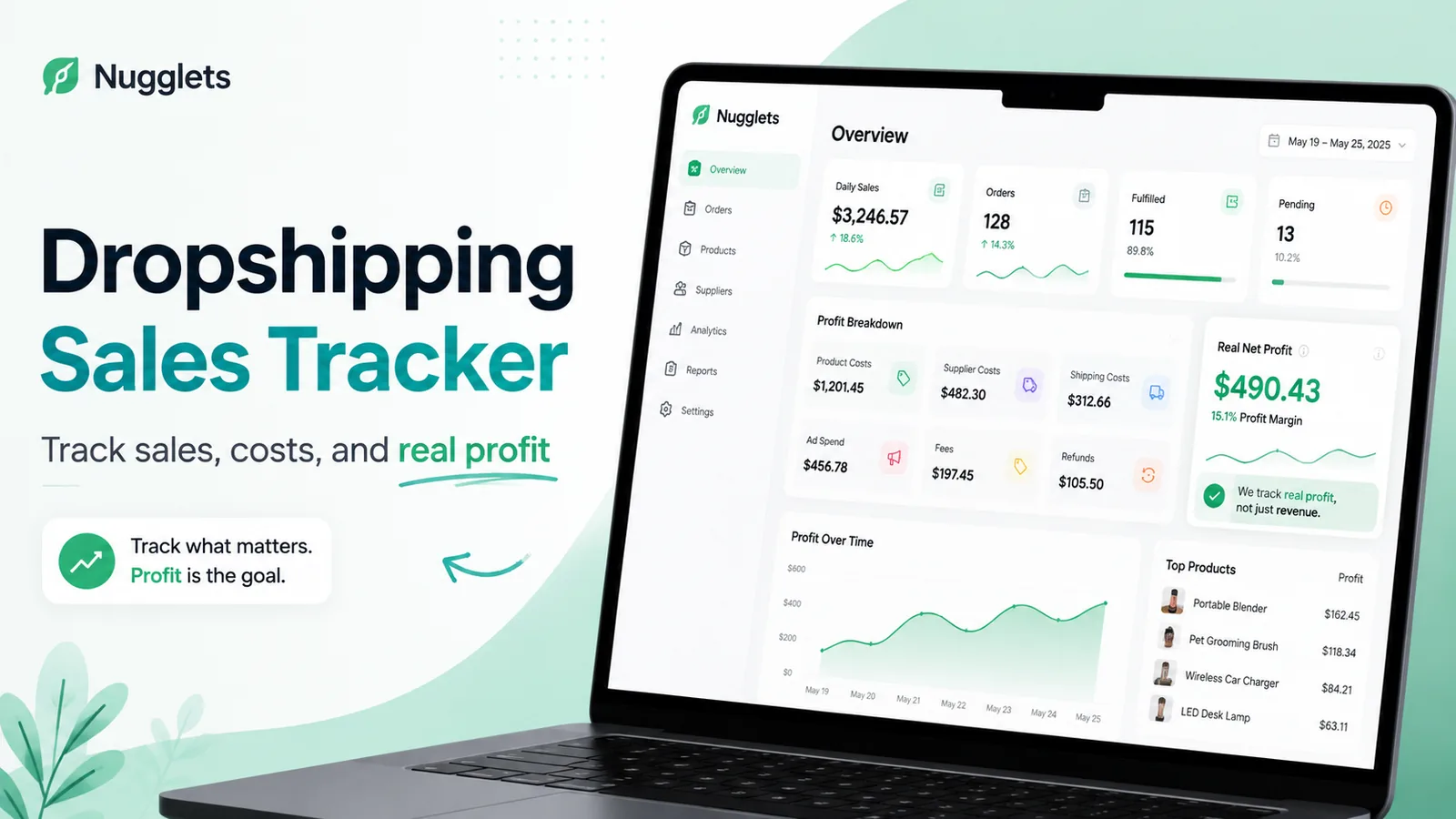
A dropshipping sales tracker helps you see what is really happening inside your business.
Most sellers can quickly find their daily revenue inside Shopify. They know how many orders came in, which products sold, and how much money customers spent. But revenue alone does not tell you whether your store is healthy or profitable.
A $1,000 sales day can look exciting until you subtract product costs, supplier charges, shipping, advertising spend, Shopify fees, payment-processing fees, refunds, and chargebacks. At that point, the real profit may be far smaller than expected.
That is why a good dropshipping sales tracker should not only show sales. It should help you understand the money left after every important business cost.
For Shopify and dropshipping sellers, tracking real profit is one of the clearest ways to make better decisions. You can spot products with weak margins, identify expensive suppliers, reduce wasted ad spend, catch refund issues early, and understand which stores are actually growing.
Nugglets is built to help sellers bring sales, orders, expenses, supplier costs, and profitability into one dashboard, so you are not forced to guess based on revenue alone.
What Is a Dropshipping Sales Tracker?
A dropshipping sales tracker is a system for monitoring the financial and operational side of a dropshipping business.
At the most basic level, it tracks:
-
Sales revenue
-
Number of orders
-
Product costs
-
Supplier costs
-
Shipping costs
-
Advertising spend
-
Platform and payment fees
-
Refunds and chargebacks
-
Net profit
-
Profit margin
Instead of checking multiple tabs, spreadsheets, supplier portals, ad accounts, and Shopify reports, a sales tracker gives you a clearer picture of how your store is performing.
The goal is simple: know what you sold, what it cost to sell it, and what you actually kept.
For a newer seller, this can start with a spreadsheet. For a growing store, it usually becomes much easier to use a dashboard that automatically organizes sales, expenses, fulfillment details, and profit reporting.
Why a Dropshipping Sales Tracker Needs to Measure More Than Revenue
Revenue is the total amount customers paid your store. Profit is what remains after business costs.
Those two numbers are not the same.
For example, imagine your Shopify store makes $10,000 in sales during a month:
-
Product costs: $3,500
-
Supplier shipping charges: $1,000
-
Ad spend: $2,500
-
Shopify and payment fees: $400
-
Refunds: $600
-
Apps and other expenses: $300
Your revenue is $10,000, but your net profit is only $1,700.
That is why revenue can be misleading. A store can have strong-looking sales while still struggling with low margins or high operating costs.
A dropshipping sales tracker helps you avoid common problems such as:
-
Scaling ads before checking whether they are profitable
-
Selling products with hidden shipping costs
-
Forgetting to account for refunds
-
Underestimating supplier price increases
-
Looking at gross sales instead of actual profit
-
Comparing stores based only on revenue
-
Missing unfulfilled or delayed orders that could lead to disputes
Sales matter, but profit is what gives your business room to survive, improve, and grow.
Track Daily Sales Without Getting Misled
Daily sales are useful because they help you understand momentum.
You may notice that one product is suddenly performing well, a promotion is increasing orders, or a new ad campaign is generating more sales. Daily revenue can also help you catch drops in performance before they become a larger problem.
However, daily sales should always be viewed alongside daily expenses.
For each day, try to track:
-
Total sales revenue
-
Number of orders
-
Average order value
-
Product cost of goods sold
-
Shipping costs
-
Ad spend
-
Transaction fees
-
Refunds issued
-
Estimated net profit
-
Profit margin
This turns a simple sales number into a useful business snapshot.
For example, a $700 sales day may sound better than a $500 sales day. But if the $700 day required $450 in ad spend and expensive supplier shipping, the $500 day may have been more profitable.
A dropshipping sales tracker should help you compare revenue and profit side by side. That is how you learn which days, products, campaigns, and stores are actually helping the business.
Track Orders and Fulfillment Status
A sale is not fully complete just because an order was placed.
You also need to know whether the order has been paid, sent to the supplier, fulfilled, shipped, delivered, refunded, or placed on hold. Tracking order status helps prevent mistakes that damage customer trust.
Important order details to monitor include:
-
Order number
-
Customer name and location
-
Product or variant purchased
-
Order date
-
Payment status
-
Fulfillment status
-
Supplier assigned
-
Tracking number
-
Shipping method
-
Estimated delivery date
-
Refund or return status
-
Notes about customer support issues
For dropshipping sellers, fulfillment is closely connected to profitability. Delayed shipments, supplier mistakes, out-of-stock products, and missing tracking numbers can lead to refund requests or chargebacks.
A centralized dashboard makes it easier to identify orders that need attention before they become expensive problems.
Nugglets can help sellers bring order activity and financial tracking into one place, which is especially useful when order volume starts increasing.
Track Product Costs
Every product you sell has a cost.
This is often called cost of goods sold, or COGS. In dropshipping, it usually means the amount your supplier charges for the item itself.
Product cost can change over time. A supplier may raise prices, offer temporary discounts, or charge different amounts depending on the product variation, quantity, warehouse, or shipping destination.
You should track product costs by product and variant whenever possible.
For each product, record:
-
Product name
-
Variant
-
Supplier
-
Cost per unit
-
Packaging cost, if applicable
-
Supplier discounts
-
Updated cost date
-
Estimated profit per sale
This helps you identify products that look successful on the surface but have weak profit margins.
For example, a $39.99 product may seem profitable. But if the product costs $21, shipping costs $8, ad spend averages $7 per sale, and fees add another $2, there is very little profit left.
A product should be judged by its real contribution to profit, not just how often it sells.
Track Supplier Costs and Performance
Your supplier affects more than your product cost.
They can influence delivery time, product quality, inventory availability, packaging, communication, refunds, and customer satisfaction. A reliable supplier may cost slightly more but save money by reducing delays, disputes, and refund requests.
Track supplier information such as:
-
Supplier name
-
Products supplied
-
Product price
-
Shipping charge
-
Typical delivery window
-
Inventory availability
-
Order error history
-
Refund or replacement rate
-
Communication notes
-
Supplier reliability score
When you track this information consistently, you can compare suppliers based on real business results.
A supplier with the lowest product price is not always the best option. If that supplier causes more late deliveries, damaged items, or refunds, the cheaper cost can create a larger loss over time.
Track Shipping Costs
Shipping costs are one of the easiest expenses to overlook.
Some suppliers include shipping in the product cost. Others add shipping at checkout. Some charge different shipping amounts by country, warehouse, delivery method, or item quantity.
You should track shipping separately when possible because it gives you a more accurate picture of your per-order profit.
Track:
-
Supplier shipping charges
-
Shipping method
-
Shipping destination
-
Express shipping upgrades
-
Customer-paid shipping
-
Packaging and label costs
-
Delivery times
-
Shipping-related refunds
You may decide to offer free shipping to customers. That can still work, but the shipping cost needs to be included in your profit calculation.
A product can appear profitable until you discover that international shipping is eating away the margin on certain orders.
Track Shopify and Payment-Processing Fees
Every sale can include fees.
Shopify plan fees, transaction fees, payment-processing fees, currency conversion fees, and third-party payment charges can all affect profitability. These costs may feel small per order, but they add up quickly as sales volume grows.
A complete dropshipping sales tracker should include estimated or actual fees for each order.
Track:
-
Shopify subscription costs
-
Shopify transaction fees, where applicable
-
Payment-processing fees
-
Currency conversion charges
-
App subscription costs
-
Chargeback fees
-
Other store-related expenses
You do not need to obsess over every penny from the beginning. But you should avoid ignoring these costs completely.
Even a small fee percentage can become a major expense over hundreds or thousands of orders.
Track Advertising Spend
Advertising spend is often the biggest variable cost in a dropshipping business.
You may be spending money on TikTok Ads, Meta ads, Google Ads, influencer campaigns, content creators, or other promotional channels. The key is connecting that ad spend to the sales and profit it produces.
Track your advertising spend by:
-
Campaign
-
Ad set or audience
-
Product
-
Store
-
Date range
-
Platform
-
Revenue generated
-
Cost per purchase
-
Return on ad spend
-
Estimated net profit
Return on ad spend, often called ROAS, is useful, but it does not always show the full picture.
A campaign can have a good ROAS while still producing weak profit if your product cost, shipping, fees, and refund rate are high. That is why profit tracking should sit alongside ad tracking.
Before scaling a campaign, ask:
-
Is it generating real profit after all costs?
-
Is the product margin strong enough?
-
Are refunds increasing?
-
Are supplier costs stable?
-
Is the campaign working across more than one day?
These questions can protect you from scaling a revenue number that is not actually making money.
Track Refunds and Chargebacks
Refunds and chargebacks can seriously affect your numbers.
A refund reduces the money you keep from an order. A chargeback can be even more expensive because it may involve the lost sale, a dispute fee, and time spent responding to the case.
Track:
-
Refund amount
-
Refund reason
-
Product involved
-
Supplier involved
-
Shipping status
-
Customer complaint type
-
Chargeback amount
-
Chargeback reason
-
Dispute status
-
Fees connected to the dispute
Looking at refund and chargeback trends can reveal bigger business problems.
For example, one product may have a high refund rate because the item quality does not match the product page. A specific supplier may be causing late deliveries. One ad may be attracting customers with unrealistic expectations.
These insights help you improve the business before the issue gets worse.
Track Profit Margin
Profit margin tells you how much of each sale remains after costs.
A simple profit-margin formula is:
Profit Margin = Net Profit ÷ Revenue × 100
For example, if your store earns $2,000 in net profit from $10,000 in sales:
$2,000 ÷ $10,000 × 100 = 20% profit margin
Your ideal margin depends on your products, industry, ad strategy, customer acquisition cost, and business goals. The most important thing is knowing your margin and watching how it changes over time.
Track profit margin by:
-
Product
-
Product category
-
Supplier
-
Ad campaign
-
Sales channel
-
Store
-
Day, week, and month
This helps you find your highest-value opportunities.
A product with lower sales but a 35% margin may be more valuable than a high-volume product with a 5% margin.
Track Multi-Store Sales Performance
Many sellers eventually manage more than one store.
You may operate separate Shopify stores for different niches, countries, brands, or audiences. You may also sell through different channels while using separate suppliers or ad accounts.
Without a clear system, multi-store tracking becomes confusing quickly.
You may struggle to answer questions like:
-
Which store is most profitable?
-
Which store has the highest refund rate?
-
Which products perform best across multiple stores?
-
Which supplier is costing the business the most?
-
Which ad account is producing profitable customers?
-
Which store needs attention first?
A multi-store dashboard helps you compare performance without constantly switching tabs.
Nugglets is designed to help sellers view multiple stores in one place, making it easier to compare sales, expenses, orders, margins, and operational performance.
How to Set Up a Dropshipping Sales Tracker
You do not need a perfect system on day one. The goal is to start tracking the numbers that matter, then improve your process as your business grows.
Step 1: Choose Your Tracking Method
A spreadsheet can be a useful starting point for a new store with low order volume.
You can create columns for:
-
Date
-
Order number
-
Product
-
Revenue
-
Product cost
-
Shipping cost
-
Ad spend
-
Fees
-
Refunds
-
Net profit
-
Profit margin
This can work when you only have a few orders per day.
As order volume grows, spreadsheets become harder to maintain. You may spend too much time copying data from Shopify, supplier portals, ad accounts, payment processors, and tracking tools. Manual entry also increases the chance of missing costs or making calculation errors.
At that point, a dashboard such as Nugglets can help bring the information together automatically.
Step 2: Connect Your Sales Channels
Start by connecting your Shopify store or stores.
Your tracker should import key sales information, including orders, products, revenue, customer payments, refunds, and fulfillment status.
If you sell through multiple stores, keep each store clearly labeled so you can compare performance later.
Step 3: Add Product and Supplier Costs
For every product, record your current supplier cost.
Include the cost of the item, shipping charges, packaging, and any additional supplier fees. Update these numbers when suppliers change pricing.
This is one of the most important steps because inaccurate product costs lead to inaccurate profit reporting.
Step 4: Add Advertising Spend
Connect or record spending from each advertising channel.
Track your spend by campaign, store, product, and date. This allows you to see whether ads are creating profitable sales or simply increasing revenue.
Step 5: Include Fees and Business Expenses
Add your payment-processing fees, Shopify costs, app subscriptions, contractor costs, design costs, and other recurring expenses.
Not every cost must be assigned to a single order. Some expenses can be tracked monthly and included in your overall profit reporting.
Step 6: Track Refunds and Chargebacks Promptly
Do not wait until the end of the month to record refunds and disputes.
Add them as they happen so your profit number stays realistic. Also note the reason for each refund or chargeback whenever possible.
Step 7: Review the Dashboard Daily and Weekly
A quick daily review can help you catch urgent issues, such as unfulfilled orders, rising ad costs, or unexpected refunds.
A weekly review is useful for larger decisions, including:
-
Which products to scale
-
Which products to pause
-
Which suppliers need attention
-
Which ad campaigns are profitable
-
Which stores are improving
-
Where margins are shrinking
The best dropshipping sales tracker is not just a report. It is a decision-making tool.
Why Spreadsheets Become Harder as You Grow
Spreadsheets are flexible and low-cost. They are a solid option for beginners who want to understand their numbers.
But spreadsheets can become difficult when you have:
-
More daily orders
-
Multiple products and variants
-
Multiple suppliers
-
Several ad campaigns
-
More than one Shopify store
-
Frequent refunds
-
Different shipping rates by country
-
Multiple team members
-
Constant supplier cost changes
The problem is not that spreadsheets are bad. The problem is that they rely heavily on manual work.
A dashboard helps reduce that manual work by organizing sales, orders, expenses, supplier costs, and profitability in one place. That makes it easier to stay focused on improving the business rather than updating rows and formulas.
How Nugglets Helps With Sales and Profit Tracking
Nugglets is a dropshipping sales tracker built for sellers who want a clearer view of their business.
Rather than focusing only on revenue, Nugglets helps bring together:
-
Sales performance
-
Orders and fulfillment status
-
Product and supplier costs
-
Shipping costs
-
Advertising spend
-
Fees and business expenses
-
Refunds and chargebacks
-
Real net profit
-
Profit margin
-
Multi-store reporting
The goal is to help you understand what is driving growth and what is quietly reducing profit.
Whether you are running one Shopify store or managing multiple brands, a single dashboard can make it easier to spot the numbers that deserve your attention.
Frequently Asked Questions
What is a dropshipping sales tracker?
A dropshipping sales tracker is a tool, spreadsheet, or dashboard used to monitor sales, orders, product costs, supplier costs, shipping, advertising spend, fees, refunds, and real profit.
How do I track dropshipping sales?
You can track dropshipping sales by recording daily revenue, order count, product performance, fulfillment status, and customer refunds. For better accuracy, also track product costs, shipping, ad spend, fees, and supplier expenses.
Can I use a spreadsheet to track dropshipping sales?
Yes. A spreadsheet can work well for a new store with low order volume. As your business grows, manual tracking can become time-consuming and more prone to errors. A dashboard can simplify the process by bringing sales and expenses together automatically.
What should a dropshipping sales tracker include?
A useful dropshipping sales tracker should include revenue, orders, fulfillment status, product costs, supplier costs, shipping costs, ad spend, fees, refunds, chargebacks, net profit, profit margin, and multi-store performance.
How do I track real dropshipping profit?
Track real dropshipping profit by subtracting every relevant expense from your revenue. This includes product cost, supplier charges, shipping, advertising spend, platform fees, payment-processing fees, refunds, chargebacks, apps, and other business expenses.
Why is revenue different from profit in dropshipping?
Revenue is the money customers pay your store. Profit is what remains after your business expenses are subtracted. A store can have high revenue but low profit if its costs are too high.
How often should I review my dropshipping sales tracker?
Review key sales and order data daily, especially when you are running ads or processing a growing number of orders. Review deeper profit, supplier, and campaign performance weekly and monthly.
Conclusion
A dropshipping sales tracker helps you move beyond surface-level revenue and understand the real financial health of your store.
When you track daily sales, order status, product costs, supplier costs, shipping, fees, ads, refunds, and margins, you can make smarter decisions with more confidence.
Nugglets helps Shopify and dropshipping sellers bring those numbers into one dashboard, so you can focus less on guessing and more on building a profitable business. Explore Nugglets to see your sales, costs, orders, and real net profit in one place.
Run your whole store from one dashboard
Track orders, suppliers, inventory and real profit with Nugglets.
See NuggletsKeep reading
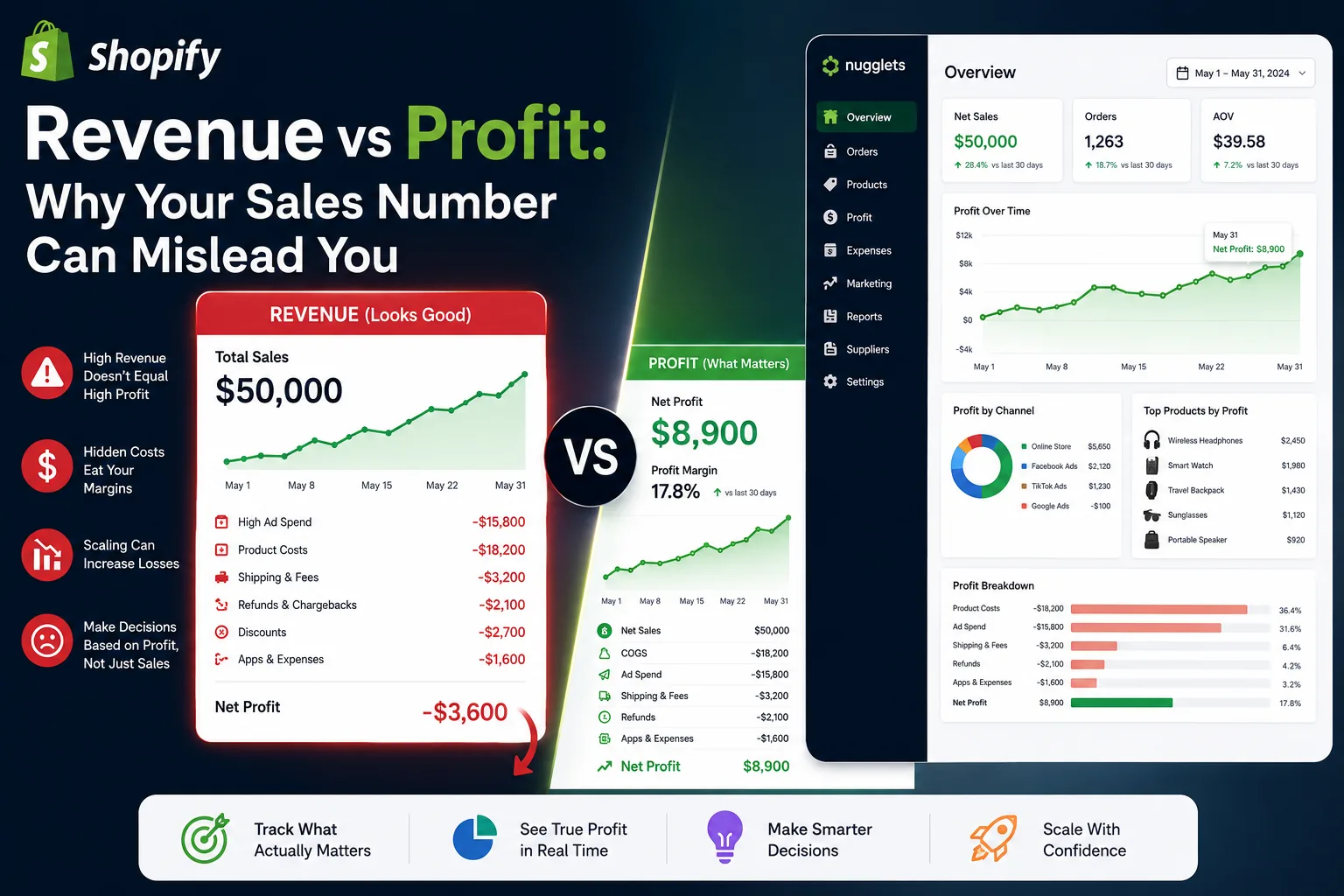
Shopify Revenue vs Profit: Why Your Sales Number Can Mislead You
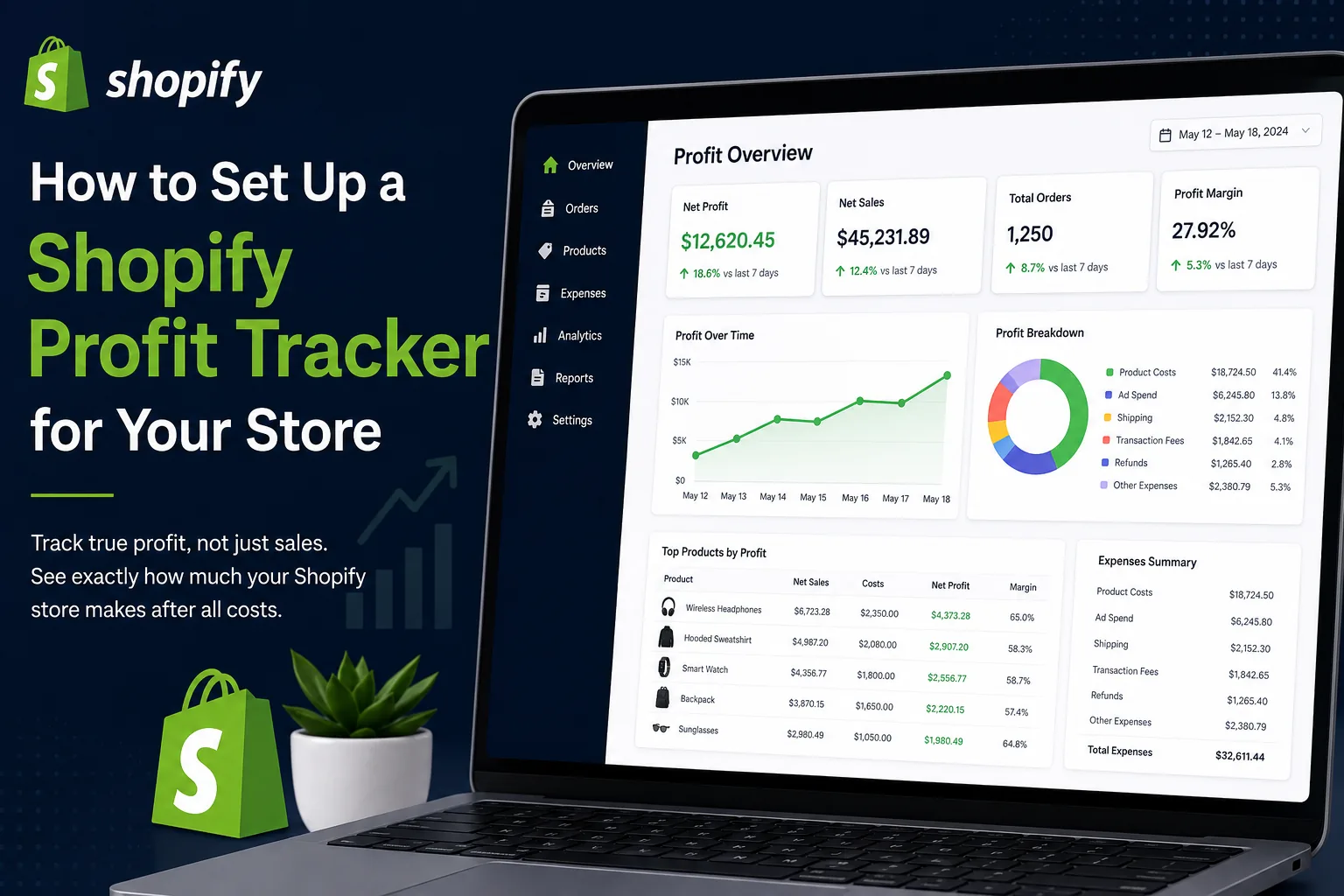
How to Set Up a Shopify Profit Tracker for Your Store


Comments 0