
How to Track Dropshipping Profit Without Getting Confused
 Brian @brian
·
·
11 min read
12 views
Brian @brian
·
·
11 min read
12 views

Running a dropshipping store can feel simple at first.
You find a product, launch a store, run ads, get orders, and watch sales come in. Then the confusion starts.
Your store says you made $1,000 in sales. Your ad account says you spent $300. Your supplier invoices are in another tab. Shopify fees, payment fees, discounts, refunds, and shipping costs are somewhere else. By the end of the day, you are not asking, “How many sales did I make?”
You are asking, “Did I actually make money?”
That is why a dropshipping profit tracker matters. It helps you move beyond surface-level sales numbers and see what your store actually keeps after costs.
For Nugglets, this topic fits naturally because dropshipping operators need one clear dashboard for profit, orders, suppliers, competitors, product research, and store performance. Nugglets is positioned around helping ecommerce and dropshipping sellers track profit, manage suppliers, monitor orders, and find winning products from one place. (Nugglets)
Pexels images are used in this draft because Pexels states that its photos can be downloaded and used for free, with attribution appreciated but not required. Always review licensing before publishing. (Pexels)
Why Dropshipping Profit Gets Confusing So Fast

The biggest reason dropshipping profit gets confusing is that revenue shows up before all the costs do.
Sales are immediate. Costs are scattered.
A Shopify dashboard can show orders, revenue, sessions, and conversion activity, but that does not automatically mean you know your profit. A product can generate a lot of revenue and still lose money once you count the full cost of selling it.
Here is what usually gets missed:
Product cost from the supplier
Supplier shipping cost
Payment processing fees
Ad spend
Discount codes
Refunds
Chargebacks
App subscriptions
Replacement orders
Currency conversion
Taxes
Packaging or fulfillment costs
Influencer or affiliate payments
That is why many store owners feel profitable one day and confused the next. They are looking at sales instead of profit.
A dropshipping profit tracker solves this by bringing the full picture into one place. Instead of trying to mentally connect five tabs and three spreadsheets, you can see revenue, expenses, margins, and net profit together.
The goal is simple: stop guessing.
Sales Are Not Profit

This is the most important mindset shift for dropshipping.
Sales tell you how much money came in. Profit tells you how much money stayed.
A product with $5,000 in sales may look like a winner. But if it cost $2,000 to buy from the supplier, $1,500 to advertise, $400 in shipping, $200 in payment fees, and $300 in refunds, the real number looks very different.
A simple profit formula looks like this:
Net profit = revenue minus product costs, shipping, ad spend, fees, discounts, refunds, and other expenses
That formula sounds simple, but in real life the data is often spread across platforms.
Your Shopify sales tracker may show revenue. Your ad platform shows spend. Your supplier portal shows product costs. Your payment processor shows transaction fees. Your customer support tools show refunds and disputes.
A dedicated ecommerce profit tracker or dropshipping dashboard helps connect these numbers so you can make faster decisions.
Without that, you may scale a product because it looks like it is selling well, only to discover later that the margin was too thin.
The Costs Every Dropshipping Profit Tracker Should Include

A good dropshipping profit tracker should not only track the obvious costs. It should help you catch the hidden ones too.
Here are the main cost categories your dashboard should include.
Product cost
This is your cost of goods sold, often called COGS. For dropshipping, this usually means the amount your supplier charges for the item.
If your supplier cost changes and you do not update it, your profit numbers become unreliable. This is one of the most common reasons dropshippers get confused.
Supplier shipping
Many sellers forget to separate product cost from shipping cost. That is a problem because shipping can vary by supplier, destination, delivery speed, and product weight.
A product may look profitable until shipping is added.
Ad spend
Ad spend is usually one of the biggest dropshipping expenses. Your Meta, TikTok, Google, influencer, or affiliate spend should be included when calculating profit.
A campaign with strong sales can still be unprofitable if the acquisition cost is too high.
Payment fees
Every order usually has a processing cost. These fees may seem small per order, but they add up quickly at volume.
Discounts
Discounts increase conversion, but they reduce margin. If you offer 10% off, free shipping, or bundle deals, those promotions need to be reflected in your profit numbers.
Refunds and chargebacks
Refunds do not just remove revenue. They can also leave you with unrecovered product cost, payment fees, customer support time, and replacement shipping.
Apps and operating expenses
Subscriptions can quietly reduce profit. Email tools, review apps, upsell apps, analytics tools, fulfillment tools, and store themes should all be considered when calculating real profit.
A strong shopify profit tracker or dropshipping profit tracker gives you a more complete picture than revenue alone.
Track Profit by Product, Not Just by Store
Store-level profit is useful, but product-level profit is where the real decisions happen.
A dropshipping store can have one product carrying the business while another product quietly drains margin. If you only look at total revenue, you may miss the difference.
Product-level tracking helps you answer better questions:
Which product has the highest net profit?
Which product sells well but has weak margins?
Which product gets too many refunds?
Which product is too expensive to advertise?
Which product should be bundled, repriced, paused, or scaled?
This is especially important for product testing.
Dropshippers often test multiple products at once. Some products get clicks but no conversions. Some get sales but no profit. Some look average at first but become profitable when paired with the right audience, price, or supplier.
A dropshipping product research tool can help you find product opportunities, but a dropshipping profit tracker tells you whether those products are actually worth scaling.
That distinction matters.
Finding products is only half the game. Knowing which ones are profitable is what keeps the business alive.
Track Orders and Profit Together

Order management is not just an operations task. It is a profit task.
A shopify order management dashboard should help you understand how fulfillment affects your bottom line. Delayed orders, supplier mistakes, refunds, cancellations, and replacement shipments all impact profit.
For example, imagine two products:
Product A has a 20% margin and almost no support issues.
Product B has a 35% margin, but customers complain about shipping delays and request refunds.
At first glance, Product B looks better because the margin is higher. But after refunds, replacements, and support time, Product A may be the healthier product.
This is why profit tracking should connect with order tracking.
You want to know:
Which orders are profitable?
Which orders are delayed?
Which suppliers cause the most issues?
Which products create the most refunds?
Which stores have the cleanest fulfillment process?
When your order data and profit data live in separate places, these patterns are harder to see.
A cleaner dropshipping dashboard connects sales tracking, order management, supplier performance, and profit into one operating view.
That is how you reduce confusion.
Watch Supplier Costs Carefully

Supplier management is one of the most important parts of dropshipping profit tracking.
Your supplier affects product cost, shipping cost, delivery time, refund rate, product quality, replacement cost, and customer satisfaction.
Even a small supplier cost increase can hurt your margin.
For example, if you sell a product for $29.99 and your supplier cost rises from $12 to $15, that $3 increase may not sound huge. But if you sell 500 units per month, that is $1,500 in lost margin.
Now add ad spend, payment fees, discounts, and refunds. The product may go from profitable to barely breaking even.
A good dropshipping profit tracker should make supplier cost changes obvious. It should help you notice when a product’s margin changes before you scale ads or increase order volume.
This is also where shopify supplier management becomes valuable. You do not just need a list of suppliers. You need visibility into which suppliers are helping your profit and which ones are creating problems.
Use a Dashboard Instead of a Messy Spreadsheet
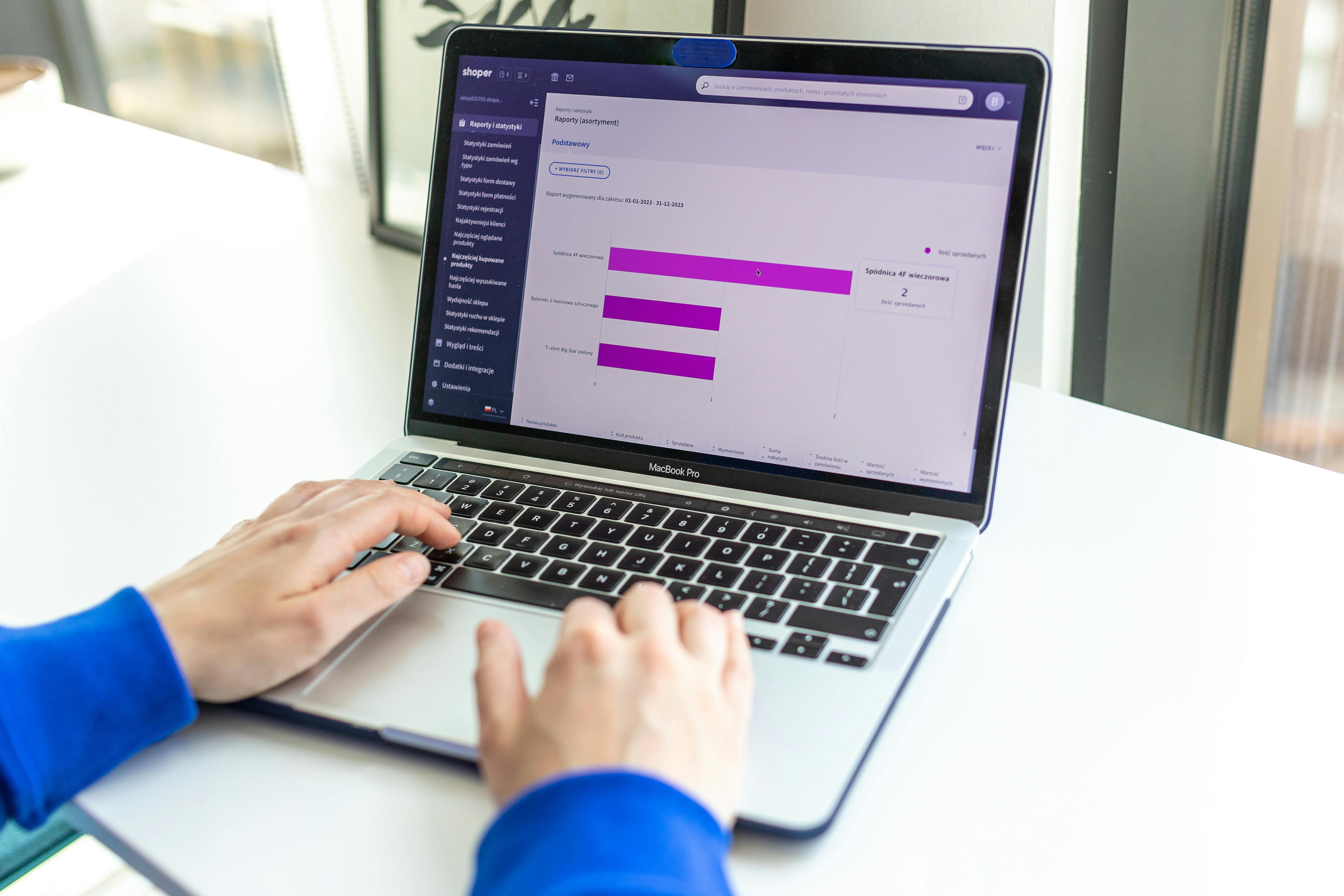
Spreadsheets are useful when your store is small. But they become harder to maintain as your store grows.
At first, a spreadsheet feels simple. You add revenue, COGS, ad spend, and fees. Then you add more products. Then more suppliers. Then more campaigns. Then refunds. Then multiple stores. Then daily tracking.
Eventually, the spreadsheet becomes another source of confusion.
The problem is not that spreadsheets are bad. The problem is that dropshipping changes too quickly.
You need a system that helps you see profit without rebuilding formulas every day.
A dropshipping dashboard gives you a cleaner way to monitor:
Daily sales
Net profit
Gross margin
Product-level profit
Order-level profit
Refund impact
Ad spend
Supplier costs
Shipping costs
Store performance
Multi-store performance
A dashboard should not overwhelm you with numbers. It should make the next decision easier.
That is the difference between data and clarity.
Build a Simple Daily Profit Tracking Routine
The easiest way to avoid confusion is to check profit in the same order every day.
A simple daily routine can look like this.
Step 1: Check net profit first
Do not start with revenue. Revenue can make the day feel better than it really is.
Start with net profit. This tells you whether the business actually made money after costs.
Step 2: Review product-level profit
Look for products with strong sales but weak margins. These are dangerous because they can trick you into scaling too early.
Step 3: Check ad spend
Compare ad spend to actual profit, not just sales. A campaign may look good in the ad account but still lose money after product cost, shipping, and fees.
Step 4: Review refunds and order issues
Refunds and delays are early warning signs. If a product is creating support problems, it may not be worth scaling.
Step 5: Check supplier changes
Make sure product costs and shipping costs are still accurate. Dropshipping margins are often thinner than they look, so small changes matter.
Step 6: Decide what to scale, pause, or fix
Your dashboard should lead to action.
Scale profitable products.
Pause products with weak margins.
Fix supplier problems.
Adjust pricing.
Review ad campaigns.
Improve offers.
Stop wasting time on products that only look good on the surface.
A real time ecommerce dashboard makes this routine much easier because you are not waiting until the end of the week to discover a problem.
Common Mistakes That Make Profit Tracking Harder
Most dropshipping profit confusion comes from a few common mistakes.
Mistake 1: Tracking revenue only
Revenue is not enough. You need profit after costs.
Mistake 2: Forgetting ad spend
Ad spend can turn a winning product into a losing product. Always include it.
Mistake 3: Using outdated COGS
If supplier costs change and your dashboard does not reflect it, your profit numbers become wrong.
Mistake 4: Ignoring refunds
Refunds are not random noise. They can reveal product quality issues, bad suppliers, weak shipping times, or misleading ads.
Mistake 5: Not tracking by product
Store-level numbers can hide product-level problems. Track profit by product whenever possible.
Mistake 6: Managing too many tabs
If your profit data lives in Shopify, ads manager, supplier portals, spreadsheets, and payment reports, confusion is almost guaranteed.
A dropshipping profit tracker helps prevent these mistakes by keeping the key numbers together.
Where Nugglets Fits
Nugglets is built for ecommerce and dropshipping operators who want less tab chaos and more clarity.
Instead of looking at sales in one place, orders in another, supplier notes in another, and competitor research somewhere else, Nugglets gives sellers a more connected way to run the store. Its positioning includes profit tracking, supplier management, order monitoring, product research, competitor tracking, and multi-store workflows. (Nugglets)
That makes it a natural fit for store owners who need a clearer dropshipping dashboard.
With the right dashboard, you can stop asking:
“Where is that cost?”
“Did we update this supplier price?”
“Is this product actually profitable?”
“Which store is performing best?”
“Are we scaling the wrong product?”
Instead, you can focus on the real question:
“What should we do next to increase profit?”
That is what a useful dropshipping profit tracker should help you answer.
Final Thoughts: Track Profit Before You Scale
Dropshipping gets confusing when you track sales but not profit.
Revenue can make a store look successful. Profit tells the truth.
If you want to run a healthier store, start by tracking every major cost: product cost, shipping, ad spend, payment fees, discounts, refunds, supplier changes, and operating expenses.
Then connect those numbers to products, orders, suppliers, and stores.
That is the difference between guessing and operating.
A good dropshipping profit tracker does not just show numbers. It helps you understand what is working, what is wasting money, and what deserves your attention next.
For dropshipping store owners who want real profit visibility without spreadsheet confusion, Nugglets gives you a clearer way to manage the numbers that matter.
Run your whole store from one dashboard
Track orders, suppliers, inventory and real profit with Nugglets.
See NuggletsKeep reading
How to Start Dropshipping on Amazon 2026
How to Calculate Your Break-Even ROAS for Shopify


Comments 0